

Television has changed dramatically, and your cable bill does not have to be a fixed expense. Many seniors find themselves paying $100, $150, or even $200 each month for cable TV services they barely use. This significant monthly cost adds up quickly, draining your fixed income unnecessarily. Imagine redirecting those funds towards groceries, healthcare, or simply enjoying your retirement more. This article empowers you to take control of your entertainment budget by exploring the world of streaming services, offering practical steps to save money and enjoy a vast array of content.
Many use these extra funds to explore budget-friendly senior travel options that make retirement even more rewarding.

The Financial Freedom of Cutting the Cord
Cutting the cord means canceling your traditional cable television subscription and switching to internet-based streaming services for your entertainment. This move offers substantial financial benefits, especially for seniors managing a fixed income. You gain more control over your monthly spending, often saving tens or even hundreds of dollars.
Along with lowering your entertainment costs, you might find additional savings by exploring homeowners insurance discounts for seniors to further stretch your budget.
Just like television costs, you can also significantly reduce your expenses by reviewing the best cell phone plans for seniors on a budget.
Many households report saving an average of $50 to $100 per month after making the switch. Over a year, this amounts to $600 to $1,200 you can keep in your pocket. These savings provide vital flexibility for other expenses, contributing significantly to your overall financial well-being. For example, replacing a $120/month cable bill with two streaming services costing $15 each could save you $90 every month.
Beyond the direct financial savings, embracing streaming gives you greater choice and convenience. You watch what you want, when you want it, without being tied to a rigid programming schedule. This flexibility often results in a more enjoyable and personalized viewing experience.
- Significant Cost Savings: Eliminate high monthly cable bills, saving hundreds annually.
- Personalized Content: Choose only the channels and shows you truly want to watch.
- On-Demand Viewing: Watch movies and TV series at your convenience, not on a broadcaster’s schedule.
- Increased Flexibility: Easily switch services month-to-month based on your interests and budget.
- Access Anywhere: Watch your favorite programs on a TV, tablet, or phone, whether at home or traveling.
Demystifying Streaming Services: Your New TV Options
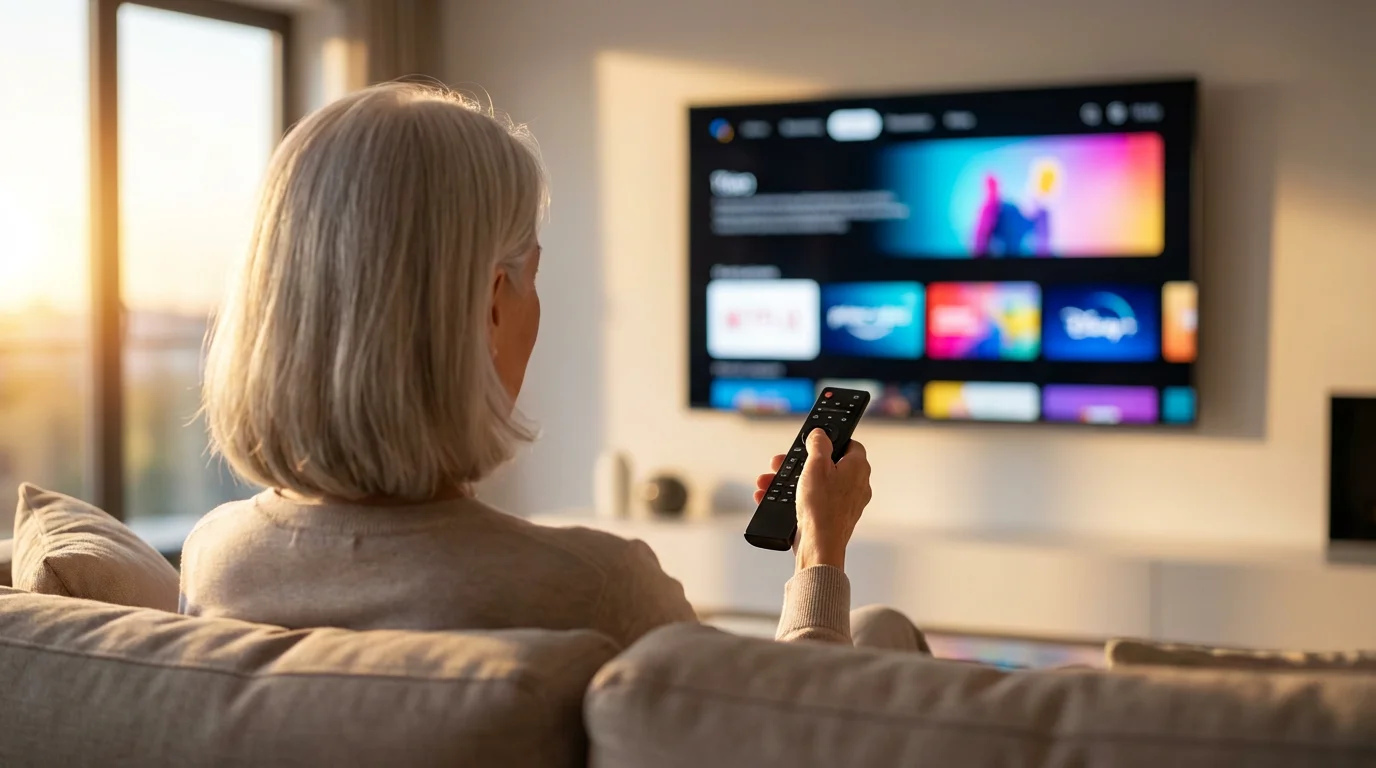
Streaming services deliver television shows, movies, and live content over the internet to your devices. Instead of receiving signals through a cable line, satellite dish, or antenna, your content arrives via your home internet connection. This system makes them incredibly versatile and accessible.
Once you feel comfortable navigating internet-based television, you can also use your connection to access free online courses and keep learning new skills.
Integrating these services into your home is easier when you understand the broader introduction to smart home devices that can simplify your lifestyle.
You access these services through specific applications or websites. Think of them like digital libraries or virtual channels. You pay a monthly subscription fee, typically ranging from $7 to $20 for individual services, much less than a standard cable package. Some excellent streaming services are even completely free, supported by advertisements, offering fantastic budget-friendly TV options.
To use streaming services, you need a few key components:
- Internet Connection: A reliable home internet connection is essential. Most standard internet plans support streaming without issue.
- Streaming Device: This can be a Smart TV with built-in streaming apps, a dedicated streaming stick (like a Roku, Amazon Fire Stick, or Google Chromecast), a gaming console, or even a computer or tablet.
- Streaming Service Subscription: You sign up directly with the service provider, like Netflix or Hulu.
This setup allows you to enjoy a vast world of entertainment on your terms. The process of getting started is simpler than you might imagine, and millions of seniors successfully make this transition every year.
Your Step-by-Step Guide to Switching to Streaming TV
Switching to streaming TV, often called “cord cutting,” may seem daunting at first, but you can achieve it in a few manageable steps. Follow this process to transition smoothly and start enjoying your savings.
While switching involves some new technology, the installation process is often easier than many basic home maintenance tasks.
Once your internet is optimized for streaming, you can also take advantage of accessing healthcare through telehealth to save time on doctor visits.
- Evaluate Your Current TV Habits:
- Review your current cable bill. What channels do you watch regularly?
- Do you mostly watch movies, news, sports, or specific TV series?
- Identify which programs are “must-haves” versus those you rarely watch. This helps determine which `streaming services` you actually need.
- Assess Your Internet Service:
- A stable internet connection is crucial for quality streaming.
- Most internet providers offer plans with speeds sufficient for streaming. A download speed of at least 25 Mbps is generally recommended for smooth high-definition streaming.
- Contact your internet provider to confirm your current speed and ensure it meets streaming requirements.
- Choose Your Streaming Device:
- Smart TV: If you have a relatively new TV, it likely has built-in streaming apps. Look for a “Smart TV” label.
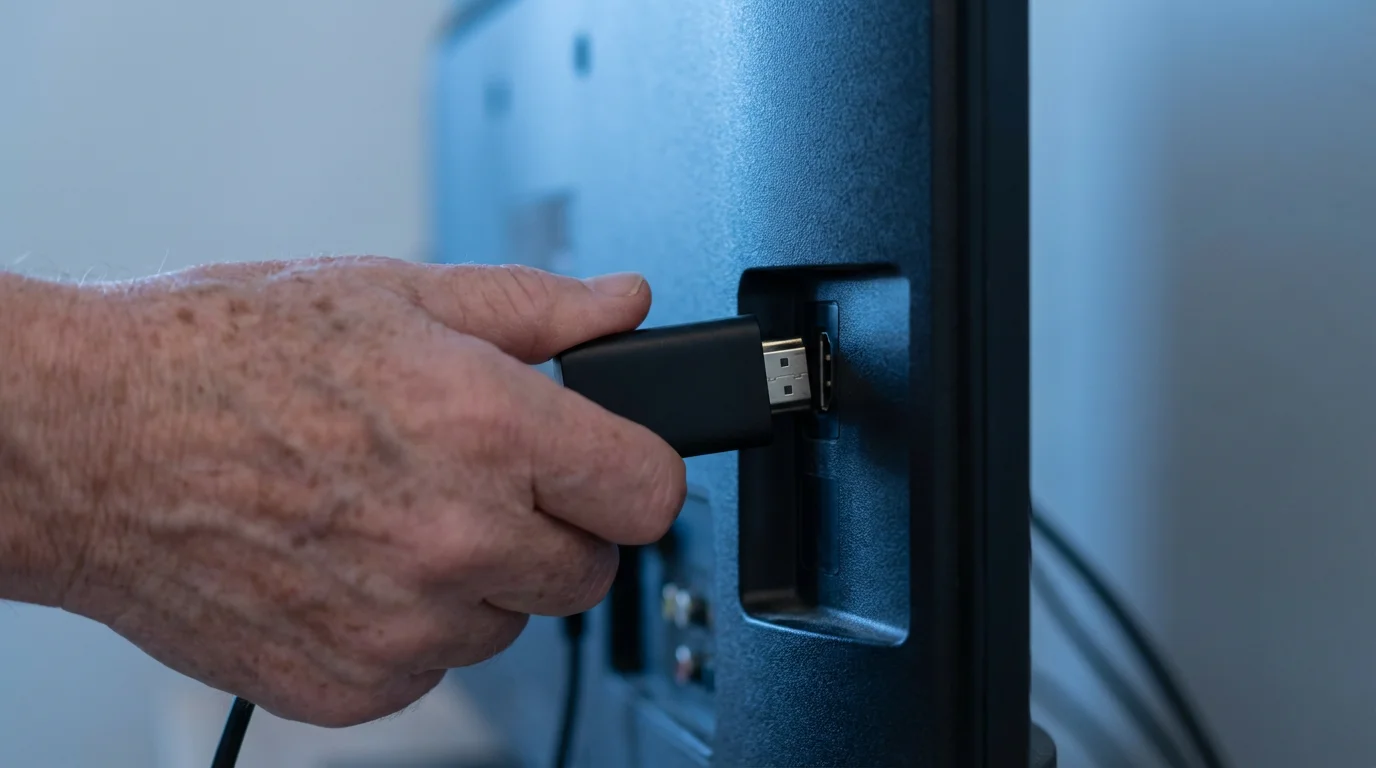
- Streaming Stick/Box: Devices like Roku Express, Amazon Fire TV Stick, or Google Chromecast connect to any TV with an HDMI port. They cost between $30 and $50 and are very user-friendly. These offer a simple `how to switch to streaming tv` solution for older non-smart TVs.
- Other Devices: Gaming consoles (PlayStation, Xbox), computers, and tablets also support `streaming services`.
- Select Your Streaming Services:
- Based on your viewing habits, decide which `streaming services` make sense for you.
- Consider a mix of paid subscription services and free ad-supported `tv options`.
- Start with one or two services and add more later if needed. You can often get free trials to test them out.
- Set Up Your Device and Services:
- Connect your streaming device to your TV and follow the on-screen setup instructions. This usually involves connecting to your home Wi-Fi network.
- Download the apps for your chosen `streaming services` on your device.
- Log in with your new subscriptions.
- Cancel Your Cable Service:
- Once you are comfortable with your new streaming setup, contact your cable provider to cancel.
- Be prepared for them to offer retention deals; politely decline if you are committed to `cord cutting`.
By following these steps, you will successfully navigate `how to switch to streaming tv` and begin saving money on your entertainment expenses.

Top Streaming Services for Seniors: Value and Content
Finding the best `streaming services` means balancing cost with content that truly interests you. Many `tv options` exist, ranging from vast on-demand libraries to live television replacements. Here, we highlight some of the most popular and value-driven choices for seniors.
When setting up your payment details for these services, it is essential to stay alert and protect yourself from financial scams that often target online users.
When considering `what are the cheapest streaming services` that still offer quality content, look for services with a broad appeal or a niche that matches your specific interests.
On-Demand Streaming Libraries
- Netflix: A pioneer in streaming, Netflix offers an immense library of movies, TV shows, and award-winning original series. Pricing generally starts around $7 for ad-supported plans and $15 to $23 for ad-free versions. You find content spanning many genres, from documentaries to classic films to modern dramas.
- Hulu: Known for current and classic TV shows, Hulu often makes episodes available shortly after they air on traditional networks. Hulu also boasts a strong collection of original series and movies. An ad-supported plan costs about $8 per month, while an ad-free version runs around $18.
- Disney+: This service is perfect for those who love Disney classics, Pixar movies, Marvel superhero films, Star Wars sagas, and National Geographic documentaries. It costs about $8 per month with ads or $14 per month without ads. It provides excellent value for family-friendly content and iconic franchises.
- Max (formerly HBO Max): For premium, high-quality content, Max offers HBO’s renowned series, Warner Bros. movies, and a wide array of content from DC, Cartoon Network, and more. Plans start around $10 per month with ads and $16 for ad-free. Max is a good option if you appreciate award-winning dramas and blockbuster films.
Live TV Streaming Replacements
If you want to keep access to live local channels, sports, and news without traditional cable, live TV `streaming services` are an option. They are generally more expensive than on-demand services, but still significantly cheaper than cable.
- Sling TV: One of the more budget-friendly live TV options, Sling TV offers customizable packages starting around $40 per month. You can choose packages focused on news, sports, or general entertainment.
- YouTube TV: A more comprehensive live TV replacement, YouTube TV includes major broadcast networks, popular cable channels, and unlimited cloud DVR storage for around $73 per month. This offers a wide range of channels similar to a basic cable package.
To help you compare, here is a snapshot of popular `streaming services` and their approximate monthly costs:
| Streaming Service | Monthly Cost (approx.) | Content Focus | Highlights for Seniors |
|---|---|---|---|
| Netflix | $7 – $23 | Movies, TV shows, Originals | Vast library, easy to use, diverse genres. |
| Hulu | $8 – $18 | Current & Classic TV, Originals | Access to new episodes quickly, strong TV series selection. |
| Disney+ | $8 – $14 | Family, Classics, Marvel, Star Wars | Nostalgic content, documentaries, family viewing. |
| Max | $10 – $16 | Premium Movies, HBO Shows | Award-winning dramas, critically acclaimed films. |
| Pluto TV | Free (ad-supported) | Live Channels, Movies, TV Shows | Wide variety of free `tv options`, no subscription needed. |
| Tubi | Free (ad-supported) | Movies, TV Shows | Large library of older films and cult classics. |
Remember that prices can vary based on ad-supported versus ad-free plans, and bundles may offer slight discounts. Always check the current pricing directly on the service’s website.

Unlocking Free Entertainment: Budget-Friendly TV Options
You do not always need to pay a subscription fee for quality entertainment. Many excellent `tv options` are available completely free, supported by advertisements. These services are a fantastic way to supplement your paid subscriptions or provide entertainment without any monthly cost, making them some of the `cheapest streaming services` available.
In addition to movies and shows, you can find enrichment through free online learning resources for seniors that offer no-cost educational content.
Free `streaming services` typically offer a mix of movies, TV shows, and even live channels. The content may include older films, classic TV series, news channels, and niche programming. While you will see commercials, the savings are undeniable.
- Pluto TV: This service offers hundreds of live, ad-supported channels that mimic traditional cable, alongside a large on-demand library of movies and TV shows. You find everything from news and sports to classic sitcoms and movie channels.
- Tubi: Tubi boasts a vast collection of movies and TV series, including many cult classics, independent films, and older network shows. It is a treasure trove for discovering content you might have missed.
- Freevee (Amazon Freevee): Amazon’s free streaming service provides movies and TV shows, including some original content. It integrates easily if you already use other Amazon services.
- The Roku Channel: If you use a Roku streaming device, The Roku Channel offers a selection of free movies, TV shows, and live channels. It also aggregates free content from other providers.
- Crackle: Owned by Chicken Soup for the Soul Entertainment, Crackle offers a curated collection of Hollywood movies and TV series, with an emphasis on action, comedy, and drama.
Beyond these dedicated free `streaming services`, you can also explore:
- Public Libraries: Many public libraries offer free access to `streaming services` like Kanopy and Hoopla with your library card. These platforms provide a rich selection of independent films, documentaries, classic movies, and even educational courses.
- Digital Antenna: For local news and major network shows (ABC, CBS, NBC, Fox, PBS), a one-time purchase of a digital antenna allows you to receive these channels over the air for free. There are no monthly fees, and the picture quality is often excellent.
These free options demonstrate that you do not need to spend a fortune to access a wide range of engaging television entertainment. Integrating a few free `tv options` into your viewing habits can greatly reduce your overall entertainment budget.
Optimizing Your Home Internet for Seamless Streaming
Your internet connection forms the backbone of your `cord cutting` experience. A reliable and fast connection ensures smooth, uninterrupted viewing, free from frustrating buffering. Optimizing your home internet setup can significantly enhance your enjoyment of `streaming services`.
First, confirm your internet speed. Most `streaming services` recommend a minimum download speed of 5-8 Megabits per second (Mbps) for standard definition (SD) content and 25 Mbps for high-definition (HD) content. If multiple people stream simultaneously or you use many devices, you might need higher speeds, perhaps 50-100 Mbps.
You can easily check your internet speed by searching “internet speed test” on Google and clicking on one of the free testing tools. If your speed falls short, contact your internet service provider (ISP). You might be on an older plan, and newer, faster plans could cost the same or even less. Do not hesitate to negotiate for a better rate or a speed upgrade. The Consumer Financial Protection Bureau offers resources on managing household budgets, which can include tips for negotiating services.
Here are additional tips for optimizing your home internet:
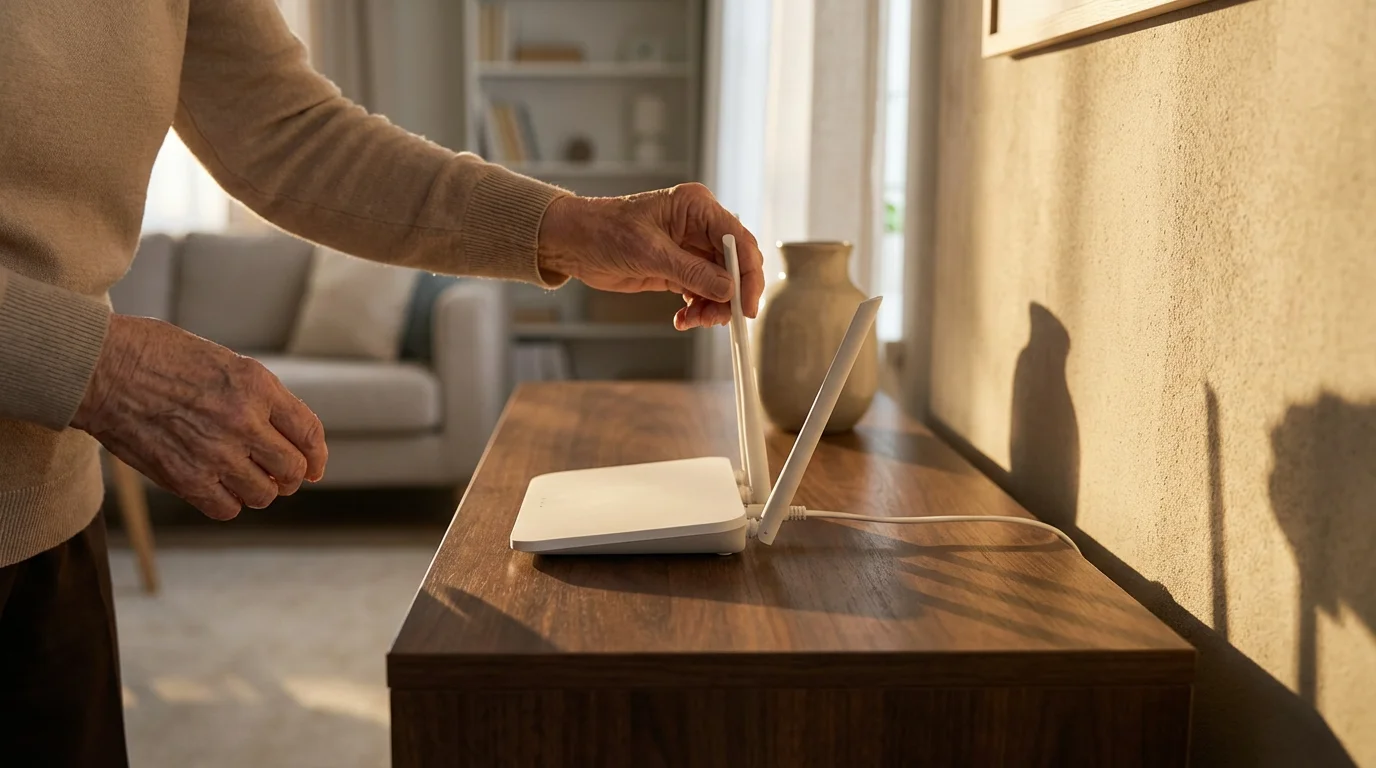
- Router Placement: Place your Wi-Fi router in a central location in your home, away from walls, large appliances, and other electronics that can interfere with the signal. Higher is generally better.
- Upgrade Your Router: If your router is more than five years old, consider upgrading it. Newer routers offer faster speeds and better coverage. Your ISP might provide an upgrade, or you can purchase your own.
- Use Ethernet Cables: For devices that are stationary, such as a Smart TV or a streaming box near your router, connect them directly with an Ethernet cable. This provides the most stable and fastest connection, bypassing potential Wi-Fi interference.
- Minimize Background Activity: Close unnecessary applications on your computer or phone that might be consuming bandwidth while you stream.
- Restart Your Router: Occasionally, restarting your router by unplugging it for 30 seconds and plugging it back in can resolve connection issues and improve performance.
By taking these steps, you ensure your internet connection supports your `streaming services` efficiently, providing a superior viewing experience.

Smart Strategies to Maximize Your Streaming Savings
While `cord cutting` already saves you money, you can implement additional strategies to maximize your savings on `streaming services`. These approaches help you get the most entertainment for the least cost, ensuring your budget remains healthy.
- Rotate Your Subscriptions: You do not need every `streaming service` simultaneously. Subscribe to one or two services for a month or two, catch up on the shows and movies you want to watch, then cancel and subscribe to a different service. For example, subscribe to Hulu in November, then switch to Max in January. This strategic rotation prevents you from paying for dormant services.
- Utilize Free Trials: Most `streaming services` offer a 7-day or 30-day free trial. Use these to explore content and user-friendliness before committing to a paid subscription. Remember to cancel before the trial ends if you decide against subscribing.
- Check for Senior or Bundle Discounts: While direct senior discounts specifically for `streaming services` are rare, some companies offer bundles. For instance, you might find a discount if you bundle Hulu, Disney+, and ESPN+. Always research potential bundle savings. Additionally, AARP sometimes partners with entertainment providers, so check their benefits pages for any relevant offers.
- Share Accounts Responsibly: Many `streaming services` allow multiple user profiles and simultaneous streams, often specified in their terms of service. If you have family members living in your household, sharing an account can divide the cost, but always ensure you comply with the service’s terms regarding household use.
- Leverage Ad-Supported Plans: When considering `what are the cheapest streaming services`, remember that many paid services offer a significantly cheaper ad-supported tier. If you do not mind a few commercials, you can save $5 to $8 per month per service.
- Set a Streaming Budget: Decide how much you are willing to spend on `streaming services` each month. Perhaps $20 or $30. This budget helps you choose wisely and avoid overspending. Regularly review your subscriptions to ensure they align with your budget and viewing habits.
It’s not about how much money you make, but how much you keep.
By applying these smart strategies, you ensure that `cord cutting` truly translates into significant, ongoing savings for your entertainment budget.
Frequently Asked Questions
As you explore `cord cutting` and `streaming services`, you might have some common questions. We address a few of them here to provide clarity.
Is my internet fast enough for streaming?
Most standard home internet plans are sufficient for streaming. We recommend at least 25 Mbps download speed for high-definition streaming. You can perform a free online speed test by searching “internet speed test” to check your current speed. If it is lower, contact your internet provider.
Do I need a Smart TV to stream?
No, you do not need a Smart TV. You can purchase an inexpensive streaming stick, like a Roku or Amazon Fire TV Stick, for about $30 to $50. These devices plug into any TV with an HDMI port, turning it into a “smart” TV capable of accessing `streaming services`.
Can I still watch local news and sports?
Yes, you have several `tv options` for local news and sports. You can use a digital antenna to receive local broadcast channels for free. Many live TV `streaming services`, like YouTube TV or Sling TV, also offer local channels, though they come with a higher monthly fee.
What are the cheapest streaming services?
The `cheapest streaming services` are often the free, ad-supported ones like Pluto TV, Tubi, and Freevee. For paid options, services like Netflix and Hulu offer ad-supported plans starting around $7-$8 per month, making them very affordable ways to access a vast library of content.
How do I switch to streaming TV if I am not tech-savvy?
Switching to `streaming tv` is often simpler than it appears. Start with one streaming stick, like a Roku Express, which features a very straightforward setup process and an easy-to-use remote. Many family members or even local tech support services can assist you with the initial setup, often in under an hour.
Will I miss my favorite shows after cutting the cord?
In most cases, no. The vast majority of popular TV shows and movies are available on `streaming services`. Many network shows appear on Hulu the day after airing, and extensive libraries ensure you can find nearly anything you want to watch. Take inventory of your must-watch shows to ensure your chosen `streaming services` cover them.

Enjoy Your New TV Experience
Taking the leap into `cord cutting` and embracing `streaming services` represents a smart financial decision for seniors on a fixed income. You gain more control over your entertainment budget, freeing up significant funds that you can allocate to other essential areas of your life or simply enjoy. The flexibility, vast content libraries, and personalized viewing experience offer a modern, cost-effective alternative to traditional cable.
You now possess the practical knowledge and actionable steps to begin this transition. Start by evaluating your current viewing habits, explore the various free and paid `tv options`, and choose the setup that best fits your needs and budget. Remember, you do not have to commit to everything at once. Begin with one or two services, get comfortable, and then expand as you wish.
Empower yourself to make this change today. Your financial well-being and entertainment satisfaction will thank you.
Disclaimer: This article is for informational purposes only and does not constitute financial, tax, or legal advice. Discounts, programs, and savings opportunities may vary by location and are subject to change. We encourage readers to verify current offers and consult with qualified financial professionals for personalized advice.








Leave a Reply